
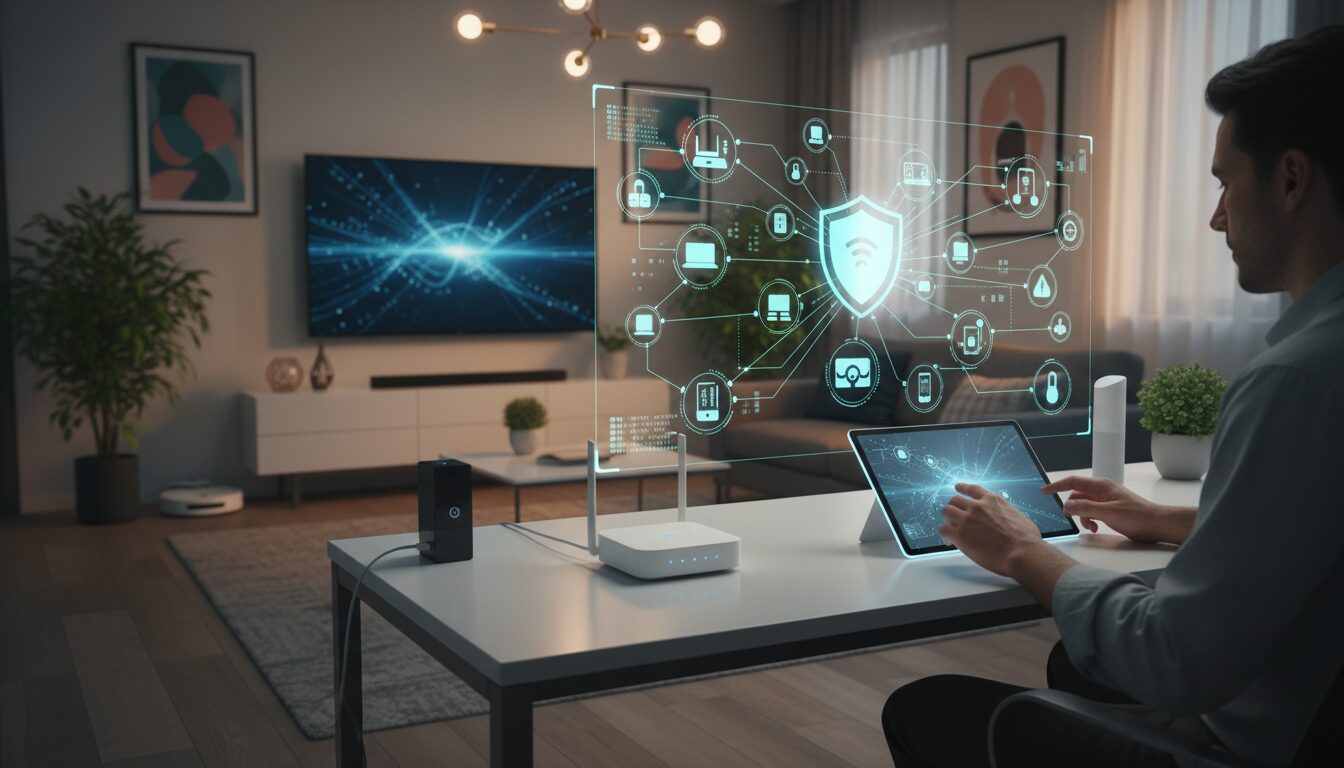
Table of Contents
- Table of Contents
- Planning Your Smart Home Journey
- Budget Planning and ROI Analysis
- Room Prioritization Strategy
- Ecosystem Selection Guide
- Smart Home Hub Comparison and Selection
- Essential Smart Home Devices for 2026
- Smart Lighting Installation
- Voice Assistant Integration
- Smart Home Security Setup
- IoT Home Setup and Installation Process
- Compatibility and Integration Solutions
- 2026 Compatibility Matrix
- Mixed Ecosystem Integration
- Home Automation Troubleshooting
- Common Setup Failures and Solutions
- Privacy and Security Configuration
- Platform-Specific Security Configuration
- Apartment-Friendly Setup Options
- Future-Proofing Your Investment
- Frequently Asked Questions
- What’s the minimum budget needed for a basic smart home setup?
- How long does it take to install a complete smart home system?
- Can smart home devices work without internet connectivity?
- Which smart home ecosystem offers the best device compatibility?
- How often should smart home devices be updated or replaced?
- Is professional installation worth the additional cost?
- What security risks should I be concerned about with smart home devices?
- Can I mix different smart home brands and ecosystems?
Smart home automation transforms ordinary houses into intelligent, responsive living environments that adapt to your lifestyle. Modern smart home setup requires strategic planning, ecosystem compatibility awareness, and proper installation techniques to create seamless automation that enhances daily life while maintaining security and budget consciousness.
Table of Contents
- Planning Your Smart Home Journey
- Budget Planning and ROI Analysis
- Room Prioritization Strategy
- Ecosystem Selection Guide
- Smart Home Hub Comparison and Selection
- Essential Smart Home Devices for 2026
- Smart Lighting Installation
- Voice Assistant Integration
- Smart Home Security Setup
- IoT Home Setup and Installation Process
- Compatibility and Integration Solutions
- Home Automation Troubleshooting
- Privacy and Security Configuration
- Apartment-Friendly Setup Options
- Future-Proofing Your Investment
- Frequently Asked Questions
Planning Your Smart Home Journey
Effective smart home automation beginners should start with a clear vision of their automation goals and establish realistic timelines for implementation. Success depends on understanding your household’s daily routines, identifying pain points that automation can solve, and creating a phased rollout plan that prevents overwhelming complexity.
Before purchasing any devices, map out your home’s layout and identify which rooms you use most frequently. Consider factors like Wi-Fi coverage strength, electrical outlet availability, and whether you rent or own your property. These practical considerations will guide your device selection and installation approach.
The most successful smart home implementations begin small and expand gradually. Starting with one room allows you to learn the technology, understand integration challenges, and refine your preferences before investing in whole-home solutions.
Budget Planning and ROI Analysis
Smart home investments typically range from $500 for basic starter setups to $5,000+ for comprehensive whole-home automation, with most homeowners seeing 15-25% energy savings within the first year. Your home automation budget should account for initial device costs, potential professional installation fees, ongoing subscription services, and future expansion plans.
Entry-level smart home setups focusing on lighting and basic security cost approximately $300-800. Mid-range systems incorporating climate control, advanced security, and multi-room audio range from $1,500-3,500. Premium installations with integrated systems, custom automation, and professional configuration can exceed $10,000.
Energy savings projections vary significantly based on your current usage patterns and selected devices. Smart thermostats alone can reduce heating and cooling costs by 10-15%, according to Environmental Protection Agency energy efficiency studies. LED smart bulbs use 75% less energy than traditional incandescent bulbs while providing scheduling and dimming capabilities that further reduce consumption.
Key Takeaway: Calculate your potential energy savings against initial investment costs to determine realistic payback periods, typically 2-4 years for most smart home automation systems.
Room Prioritization Strategy
Begin your smart home setup with high-impact, frequently used spaces like the living room, bedroom, or kitchen to maximize daily benefits and learning opportunities. Room prioritization should consider usage frequency, existing electrical infrastructure, Wi-Fi signal strength, and potential energy savings.
Living rooms offer excellent starting points because they typically have good Wi-Fi coverage, multiple devices to control (TV, lighting, climate), and high daily usage. Smart lighting, entertainment system integration, and climate control provide immediate comfort improvements and energy savings.
Bedrooms benefit from automated lighting schedules, smart thermostats for sleep optimization, and security integration for peace of mind. Kitchen automation focuses on lighting control, smart appliances, and voice assistant integration for hands-free operation during cooking.
Bathrooms and utility rooms should be lower priority initially due to humidity concerns, limited automation opportunities, and typically lower usage time. However, smart exhaust fans and leak detection sensors provide valuable safety benefits once your primary spaces are established.
Ecosystem Selection Guide
Choose your primary smart home ecosystem based on existing device preferences, desired integration depth, and long-term expansion plans. The three major ecosystems—Apple HomeKit, Google Home, and Amazon Alexa—each offer distinct advantages and limitations that affect device compatibility and automation capabilities.
Apple HomeKit provides superior privacy protection and seamless integration with iOS devices but has limited device selection and higher costs. Google Home excels at natural language processing and search integration while offering broad device compatibility. Amazon Alexa leads in device selection, third-party integrations, and smart home skills but requires careful privacy configuration.
Most successful smart home setups in 2026 use hybrid approaches, combining multiple ecosystems through compatible devices and integration platforms. This strategy prevents vendor lock-in while maximizing device selection and automation possibilities.
Smart Home Hub Comparison and Selection
Modern smart home hubs serve as central command centers that connect different devices, protocols, and ecosystems while providing local processing and automation capabilities. Hub selection significantly impacts system reliability, expansion possibilities, and ongoing maintenance requirements.
| Hub Type | Pros | Cons | Best For |
|---|---|---|---|
| All-in-One (SmartThings, Hubitat) | Unified control, local processing, protocol support | Learning curve, single point of failure | Tech-savvy users wanting comprehensive control |
| Voice Assistant Hubs (Echo Plus, Google Nest) | Simple setup, voice control, ecosystem integration | Limited protocol support, cloud dependency | Beginners prioritizing voice control |
| Dedicated Protocol Hubs (Zigbee, Z-Wave) | Reliable mesh networking, device variety | Requires separate controller, technical complexity | Users with specific protocol requirements |
| Software Solutions (Home Assistant, OpenHAB) | Maximum flexibility, cost-effective, privacy-focused | Technical expertise required, time investment | DIY enthusiasts and privacy-conscious users |
Hub selection should align with your technical comfort level and automation complexity goals. Beginners benefit from integrated voice assistant hubs that provide immediate functionality with minimal configuration. Advanced users often prefer dedicated hubs offering local processing, custom automation logic, and independence from cloud services.
Consider future expansion plans when selecting your hub. Some devices and protocols work only with specific hub types, potentially limiting your options as you add more automation. Research device compatibility before committing to any particular hub ecosystem.
Essential Smart Home Devices for 2026
Start your smart home device collection with versatile, high-impact items like smart lighting, thermostats, and security cameras that provide immediate benefits and serve as foundation pieces for advanced automation. These core devices establish your automation network while delivering measurable improvements in convenience, security, and energy efficiency.
Device selection should prioritize compatibility with your chosen ecosystem, reliable connectivity, and proven manufacturer support. Avoid purchasing devices from companies with uncertain longevity or poor software update histories, as smart home devices require ongoing firmware updates for security and functionality.
Focus on devices that solve specific problems in your daily routine rather than purchasing gadgets for novelty. The most valuable smart home implementations address real needs like energy savings, security concerns, or convenience improvements.
Smart Lighting Installation
Smart lighting systems provide the easiest entry point into home automation while delivering immediate energy savings, convenience, and ambiance control. Installation typically requires no electrical work beyond replacing standard bulbs with smart alternatives or installing compatible switches.
Smart bulb installation involves simply replacing existing bulbs with Wi-Fi or hub-connected alternatives. This approach works well for renters and provides color changing, dimming, and scheduling without rewiring. However, smart bulbs require powered switches and can be more expensive for multiple fixtures.
Smart switch installation replaces wall switches to control any connected lighting while maintaining normal switch functionality. This approach costs less for multiple bulbs per switch but requires basic electrical work and neutral wire availability in older homes.
Motion sensors enhance smart lighting by providing automatic activation based on occupancy. Strategic sensor placement in hallways, bathrooms, and closets creates seamless lighting that improves safety while reducing energy waste.
Key Takeaway: Combine smart bulbs for specialty applications with smart switches for general lighting to balance functionality, cost, and installation complexity.
Voice Assistant Integration
Voice assistants serve as primary interfaces for smart home control while enabling hands-free operation and natural language automation commands. Integration success depends on proper device naming conventions, routine creation, and understanding each assistant’s unique capabilities and limitations.
Device naming should use simple, memorable names that avoid confusion with similar-sounding words. Group related devices using consistent naming patterns (“bedroom light,” “bedroom fan”) to enable natural group commands and reduce cognitive load.
Routine creation automates multiple device actions through single voice commands or schedule triggers. Morning routines might include adjusting thermostat temperature, turning on coffee maker, and providing weather updates. Evening routines typically involve security system activation, lighting adjustment, and device shutdown.
Multi-assistant households can leverage each platform’s strengths by using Google for information queries, Alexa for smart home control, and Siri for personal device integration. This approach requires compatible devices but maximizes functionality across different use cases.
Smart Home Security Setup
Comprehensive smart home security combines traditional monitoring with intelligent automation, mobile alerts, and integration with other home systems for layered protection. Modern security systems extend beyond intrusion detection to include environmental monitoring, package delivery protection, and emergency response coordination.
Security camera placement should cover entry points, common areas, and valuable property while respecting privacy boundaries and local regulations. Indoor cameras work well for pet monitoring and general security but require careful placement to avoid bedrooms and bathrooms. Outdoor cameras should monitor driveways, entrances, and vulnerable windows with consideration for neighbor privacy.
Smart locks provide keyless entry, temporary access codes, and integration with security systems for comprehensive access control. Installation typically replaces existing deadbolts while maintaining key backup access. Battery-powered options work well for renters, while hardwired versions offer enhanced reliability and features.
Sensor networks detect door/window opening, motion, glass breaking, and environmental hazards like smoke or water leaks. Strategic sensor placement creates overlapping coverage zones while minimizing false alarms through intelligent automation logic.
The Federal Bureau of Investigation’s Internet Crime Complaint Center reports increasing smart home security breaches, emphasizing the importance of proper device configuration, strong passwords, and regular firmware updates for maintaining system security.
IoT Home Setup and Installation Process
Successful IoT home setup follows a systematic approach beginning with network optimization, followed by device installation, configuration, and testing phases. This methodical process prevents connectivity issues, reduces troubleshooting time, and ensures reliable long-term operation.
Network preparation forms the foundation of reliable smart home operation. Assess current Wi-Fi coverage throughout your home using phone-2026/”>smartphone apps or dedicated tools. Identify dead zones or weak signal areas that might require Wi-Fi extenders, mesh networking, or device placement adjustments.
Device installation should proceed room by room, allowing time to fully configure and test each device before adding complexity. This approach helps identify connectivity issues, learn device-specific features, and establish reliable automation routines before expanding the system.
Configuration involves connecting devices to your network, updating firmware, setting up automation rules, and integrating with your chosen ecosystem. Document device locations, network credentials, and configuration settings for future reference and troubleshooting.
Installation Process Steps:
- Network Assessment: Test Wi-Fi coverage and upgrade networking equipment if needed
- Device Staging: Unbox and inventory all devices, checking for damage or missing components
- Sequential Installation: Install one device at a time, fully configuring before proceeding
- Integration Testing: Verify device communication with hub and ecosystem integration
- Automation Setup: Create basic routines and test automated behaviors
- Documentation: Record device information, network settings, and configuration details
Compatibility and Integration Solutions
Modern smart home ecosystems require careful attention to device compatibility, communication protocols, and integration platforms to ensure seamless operation across different brands and technologies. Understanding compatibility matrices helps avoid purchasing decisions that create isolated devices or require expensive workarounds.
2026 Compatibility Matrix
| Protocol | Apple HomeKit | Google Home | Amazon Alexa | Local Control |
|---|---|---|---|---|
| Wi-Fi | Full Support | Full Support | Full Support | Varies by Device |
| Zigbee 3.0 | Bridge Required | Hub Required | Echo Plus/Studio | Direct Support |
| Z-Wave | Bridge Required | Hub Required | Hub Required | Direct Support |
| Thread/Matter | Native Support | Native Support | Growing Support | Native Support |
| Bluetooth | Limited Support | Device Specific | Device Specific | Direct Support |
Matter protocol adoption has significantly improved cross-ecosystem compatibility throughout 2026, allowing devices to work simultaneously with multiple assistants and platforms. This development reduces vendor lock-in concerns while simplifying device selection for mixed-ecosystem households.
Bridge devices and integration platforms like Home Assistant, SmartThings, or Hubitat can connect incompatible devices and ecosystems. These solutions require additional technical knowledge but provide flexibility for complex automation scenarios or legacy device support.
Key Takeaway: Prioritize Matter-compatible devices for new purchases while using bridge solutions to integrate existing devices that lack native ecosystem support.
Mixed Ecosystem Integration
Successfully mixing Apple HomeKit, Google Home, and Amazon Alexa requires compatible devices, proper automation logic, and understanding each platform’s strengths and limitations. Multi-ecosystem setups provide redundancy, maximize device selection, and allow optimization for specific use cases.
Device selection should prioritize products supporting multiple ecosystems natively or through Matter certification. This approach prevents duplicate device purchases while ensuring functionality across different control methods and automation platforms.
Automation logic becomes more complex with multiple ecosystems but offers greater flexibility. Use each platform’s strengths: Google for natural language processing and search integration, Alexa for device variety and skills, HomeKit for privacy and iOS integration.
Centralized control through integration platforms or compatible apps can unify multiple ecosystems into single interfaces. These solutions require initial setup time but simplify daily operation and provide comprehensive automation capabilities.
Home Automation Troubleshooting
Common smart home connectivity issues stem from network problems, device configuration errors, or ecosystem integration conflicts that can be resolved through systematic diagnosis and targeted solutions. Understanding typical failure patterns accelerates problem resolution and prevents recurring issues.
Connectivity problems often indicate network infrastructure limitations, interference sources, or device placement issues. Start troubleshooting by testing basic network connectivity, checking Wi-Fi signal strength at device locations, and identifying potential interference from other electronic devices.
Device-specific issues typically involve firmware problems, configuration errors, or hardware failures. Reset procedures, firmware updates, and reconfiguration often resolve these problems without requiring device replacement or professional service.
Common Setup Failures and Solutions
Network-Related Issues:
– Device won’t connect to Wi-Fi: Verify network credentials, check 2.4GHz availability, ensure device proximity to router
– Intermittent connectivity: Test signal strength, identify interference sources, consider mesh networking
– Slow response times: Evaluate bandwidth usage, upgrade internet service, optimize device placement
Configuration Problems:
– Device not responding to voice commands: Check device names, verify ecosystem integration, update voice assistant settings
– Automation not triggering: Review trigger conditions, test manual operation, check device status
– Ecosystem integration failures: Verify device compatibility, update hub firmware, re-link services
Hardware Issues:
– Battery-powered devices failing: Check battery levels, verify charging connections, consider environmental factors
– Sensor false alarms: Adjust sensitivity settings, check mounting stability, clean sensor surfaces
– Hub connectivity problems: Restart hub, check network connections, verify power supply stability
The Institute of Electrical and Electronics Engineers provides detailed guidance on smart home network optimization and troubleshooting methodologies that can help resolve complex connectivity issues.
Privacy and Security Configuration
Smart home security requires proactive configuration of device privacy settings, network security measures, and data handling preferences to protect personal information and prevent unauthorized access. Default device settings often prioritize convenience over security, requiring manual configuration for optimal protection.
Network security forms the foundation of smart home protection. Use WPA3 encryption on Wi-Fi networks, create separate IoT device networks when possible, and regularly update router firmware. Consider enterprise-grade networking equipment for enhanced security features and device isolation capabilities.
Device-level security involves changing default passwords, enabling two-factor authentication where available, and regularly updating firmware. Many smart home devices ship with weak default credentials and infrequent security updates, requiring proactive management for ongoing protection.
Data privacy configuration controls information collection, sharing, and retention by smart home devices and associated cloud services. Review privacy policies, disable unnecessary data collection features, and understand data sharing implications before connecting devices to external services.
Platform-Specific Security Configuration
Apple HomeKit Security:
– Enable HomeKit Secure Video for encrypted camera footage
– Use Home app privacy settings to control data sharing
– Configure iCloud Keychain for secure device credential storage
– Enable two-factor authentication for Apple ID accounts
Google Home Security:
– Review Google Account privacy settings and activity controls
– Configure voice match for personalized responses
– Enable guest mode to limit visitor access to personal information
– Regular review and deletion of stored voice recordings
Amazon Alexa Security:
– Configure voice purchasing restrictions and PIN requirements
– Review and manage Alexa skill permissions regularly
– Enable drop-in restrictions for Echo device communication
– Monitor account activity through Amazon security dashboard
Apartment-Friendly Setup Options
Renters can create comprehensive smart home automation without permanent modifications through battery-powered devices, removable mounting solutions, and plug-in alternatives to hardwired installations. These approaches provide most smart home benefits while preserving security deposits and lease compliance.
Lighting automation uses smart bulbs instead of switch replacements, providing full color and scheduling control without electrical work. Smart plugs enable automation for lamps, fans, and appliances through existing outlets. Battery-powered motion sensors and smart buttons add automation triggers without mounting hardware.
Security systems designed for apartments emphasize portable cameras, wireless sensors, and removable mounting options. These systems provide comprehensive protection while allowing easy removal during move-out. Some solutions include temporary mounting adhesives specifically designed for damage-free removal.
Climate control through smart thermostats may require landlord approval but typically involves simple wire connections without permanent modifications. Portable alternatives include smart AC controllers, space heaters, and fans that provide room-level climate automation.
Apartment-Specific Device Categories:
– Lighting: Smart bulbs, portable smart switches, plug-in lamp controllers
– Security: Battery-powered cameras, wireless door sensors, portable door locks
– Climate: Smart AC controllers, portable thermostats, intelligent space heaters
– Audio: Wireless speakers, portable smart displays, Bluetooth hub devices
– Automation: Smart plugs, battery-powered sensors, removable smart buttons
Future-Proofing Your Investment
Smart home longevity depends on selecting devices with strong manufacturer support, open protocols, and upgrade pathways that adapt to evolving technology standards. Future-proofing strategies protect your investment while ensuring continued functionality as technology advances.
Manufacturer stability and support history provide important indicators of long-term device viability. Research company track records for firmware updates, customer support quality, and product lifecycle management. Avoid devices from companies with poor support histories or uncertain financial stability.
Protocol selection significantly impacts future compatibility and expansion options. Matter certification provides the strongest future-proofing assurance, followed by established protocols like Zigbee and Z-Wave. Proprietary protocols carry higher obsolescence risks and should be avoided for critical home automation functions.
Modular system design allows component upgrades without complete system replacement. Hub-based architectures enable device additions and replacements while maintaining existing automation logic. Cloud-independent devices provide protection against service discontinuation and privacy policy changes.
The National Institute of Standards and Technology provides cybersecurity frameworks specifically addressing IoT device selection and lifecycle management for long-term security and functionality.
Future-Proofing Strategies:
- Protocol Standardization: Prioritize Matter, Thread, and established wireless protocols
- Vendor Diversification: Avoid single-manufacturer dependencies for critical functions
- Local Processing: Select devices and hubs supporting offline operation
- Open Source Options: Consider platforms allowing custom firmware or extensive customization
- Upgrade Planning: Budget for periodic device replacement and system updates
Frequently Asked Questions
What’s the minimum budget needed for a basic smart home setup?
A functional smart home setup starts around $300-500, including smart lighting, a hub or voice assistant, and basic security devices. This budget covers 4-6 smart bulbs, a smart speaker, door/window sensors, and a smart plug for appliance control. Higher budgets enable more comprehensive automation and better device quality.
How long does it take to install a complete smart home system?
Basic smart home installation takes 1-2 weekends for DIY setup, while comprehensive systems may require 2-4 weeks including planning, installation, and configuration phases. Professional installation accelerates the process but increases costs. Phased rollouts spread installation time while allowing learning and adjustment periods.
Can smart home devices work without internet connectivity?
Many smart home devices require internet for initial setup and voice control but can operate locally for basic automation once configured. Hub-based systems typically provide better offline functionality than cloud-dependent devices. Local processing capabilities vary significantly between manufacturers and device types.
Which smart home ecosystem offers the best device compatibility?
Amazon Alexa currently offers the broadest device compatibility, followed by Google Home, with Apple HomeKit being more selective but offering superior privacy protection. Matter protocol adoption is improving cross-platform compatibility, reducing the importance of ecosystem selection for device availability.
How often should smart home devices be updated or replaced?
Smart home devices typically last 3-7 years depending on technology advancement and manufacturer support quality. Security cameras and hubs may require more frequent updates, while sensors and switches often function reliably for longer periods. Regular firmware updates extend device lifespan and maintain security.
Is professional installation worth the additional cost?
Professional installation provides value for complex systems, electrical work, or time-constrained situations but isn’t necessary for basic smart home setups. DIY installation works well for plug-and-play devices while saving 50-70% of professional service costs. Consider professional help for hardwired devices, security systems, or whole-home integration.
What security risks should I be concerned about with smart home devices?
Primary security risks include unauthorized device access, data privacy breaches, and network infiltration through poorly secured IoT devices. Mitigation involves strong passwords, regular firmware updates, network segregation, and careful review of device privacy settings and data sharing policies.
Can I mix different smart home brands and ecosystems?
Modern smart home systems support mixed-brand setups through compatibility protocols like Matter, Zigbee, and integration platforms. Success requires research into device compatibility and may involve bridge devices or central hubs to coordinate different ecosystems. This approach maximizes device selection while preventing vendor lock-in.
Continue Reading
- Best Productivity Apps, Tools, and Methods for Enhanced Workflow in 2026
- Best Smartphone 2026: Complete Buying Guide and Top Phone Reviews